 Tally
TallyTally for iPhone
People, not lists.
You don’t keep a list of things to do. You keep the people in your life — and, for each of them, a small ledger of what’s owed between you.
How it works
Three words, and that’s the whole idea.
Circle
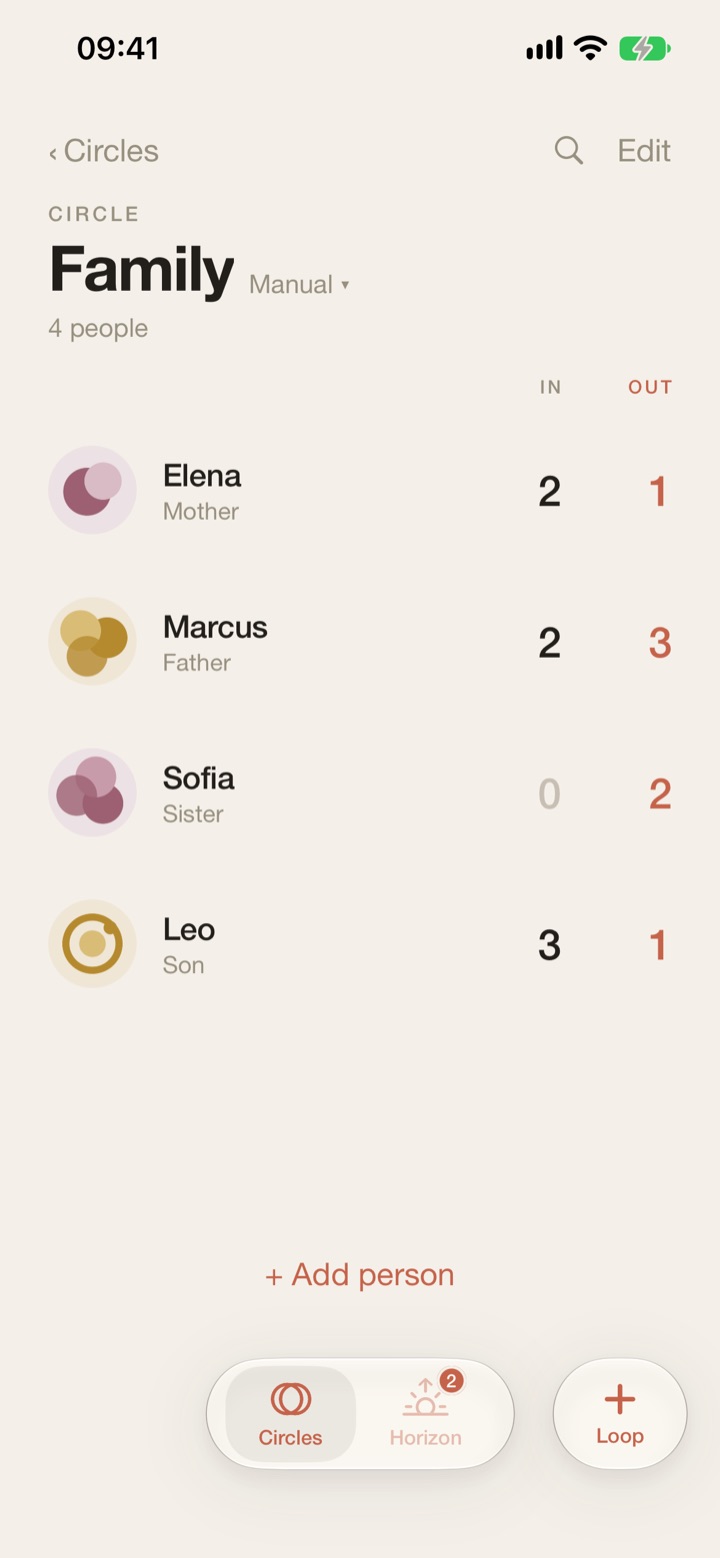
A group of people: Family, Work, Friends. Each Circle has its own people and its own loops.
Loop
One thing that’s owed, with an optional deadline. When it’s done, you close the loop.
In · Out
In is what they owe you. Out is what you owe them. Two numbers per person, always in the same place.
Inside
Calm by design.
No streaks, no scores, no guilt. Just a clear view of who is waiting on whom.
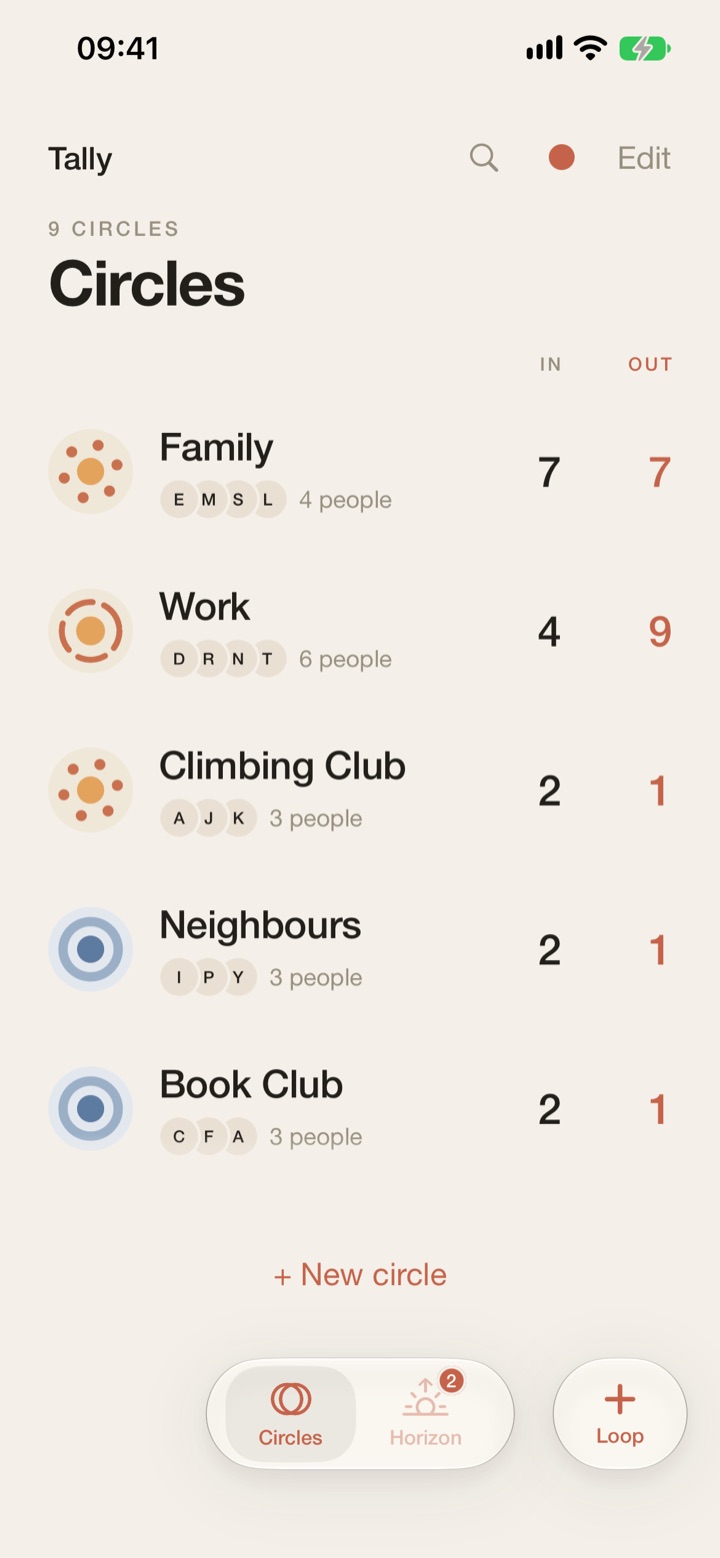
Circles
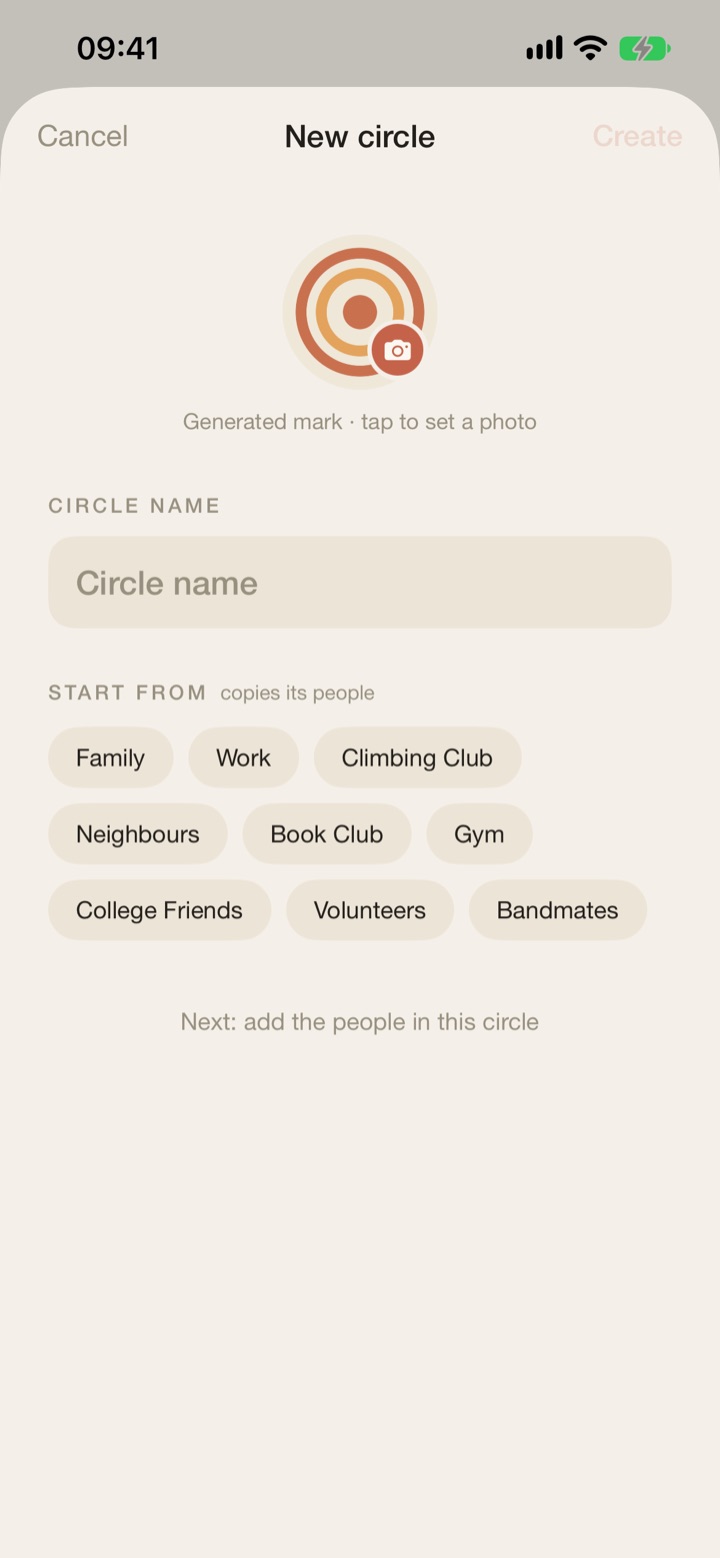
Family, Work, Friends… each with its own people and loops. Start a new Circle by copying the people from one you already have.
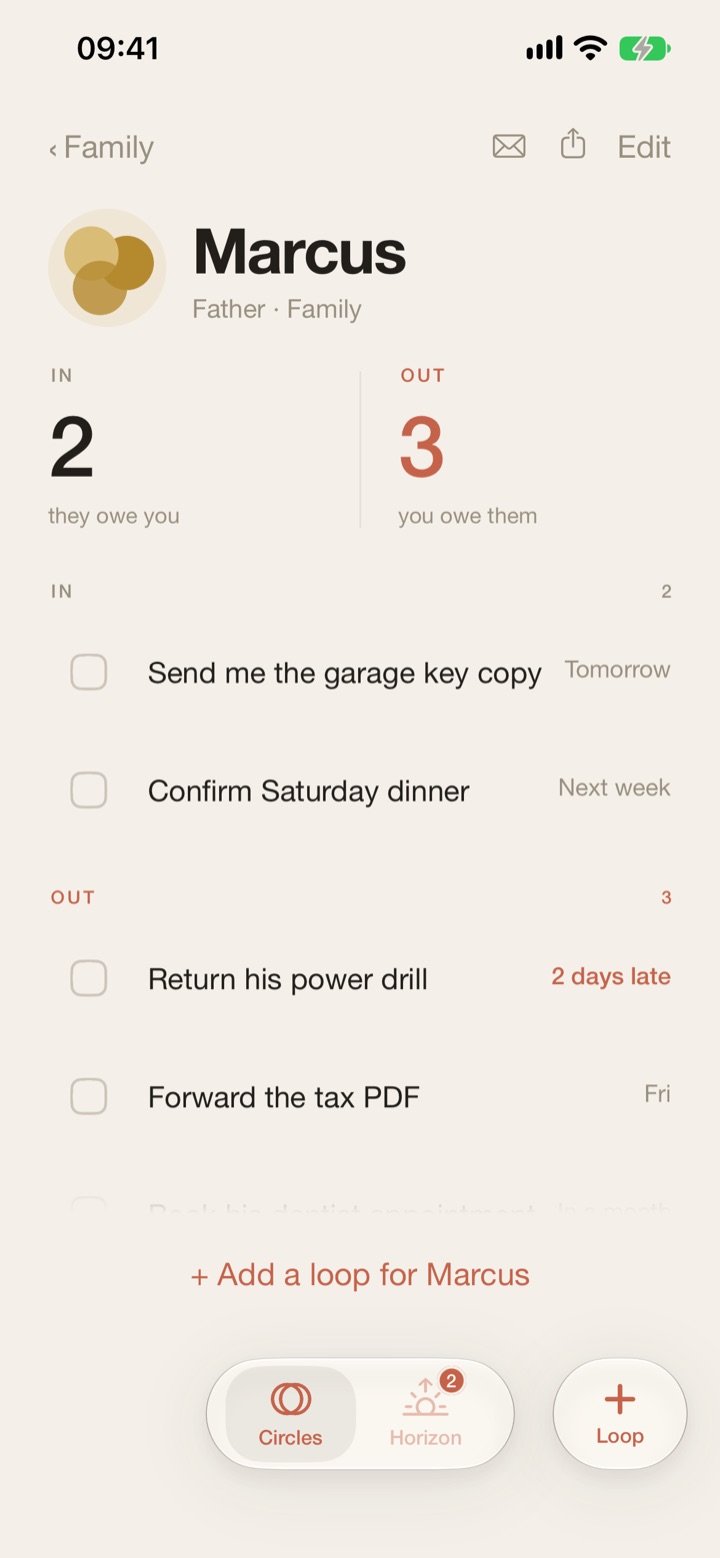
A ledger per person
Every person shows two counts: In and Out. Open them to see each loop, side by side.
Loops with deadlines
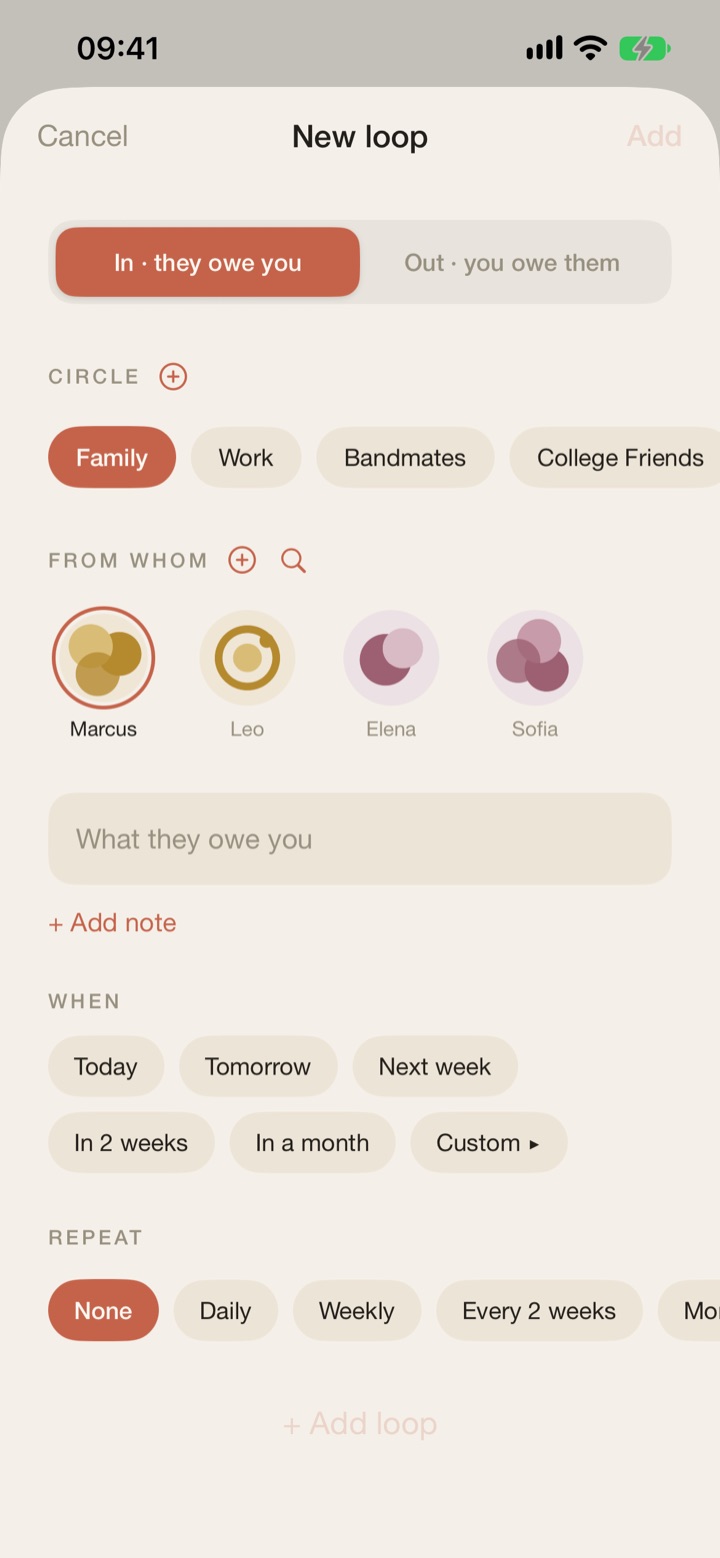
Today, Tomorrow, Next week, In 2 weeks, In a month, or any date. Add a note, or let it repeat daily, weekly, every 2 weeks or monthly.
Horizon
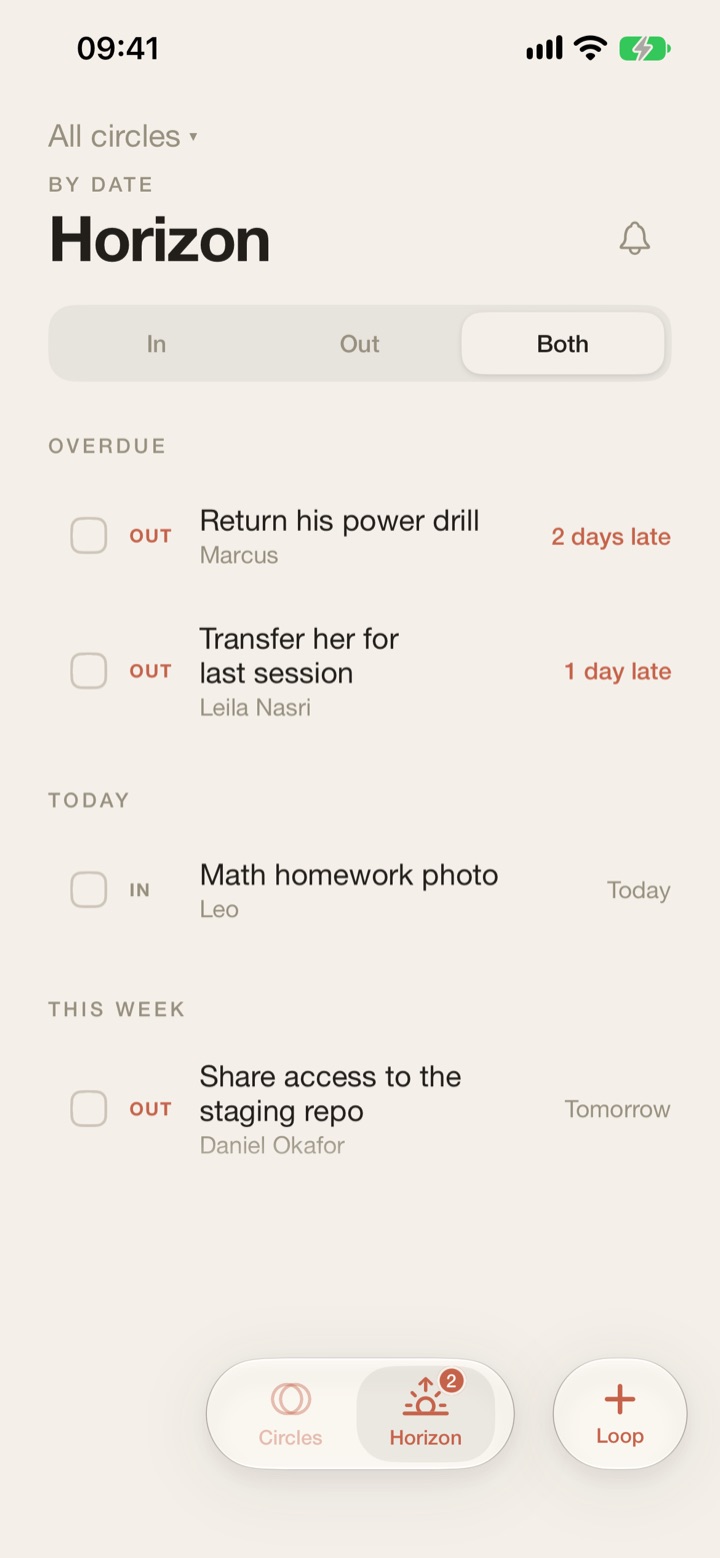
Every open loop across your circles, by date: Overdue, Today, This week, Later. Show In, Out or both, for all circles or just one.
Swipe to push
Swipe a loop to move its deadline by a day or a week. Swipe the other way to delete it. Closed or deleted by mistake? Undo.
A quiet daily reminder
Optional. A short summary of who’s been waiting longest and what’s due — by default only on days when something is. Weekdays only, if you prefer.
Faces you recognise
Each person gets a generated “bloom” avatar, or a photo. Add people from Contacts with the native picker — only the contact you choose is shared.
Find, share, send
Search across all circles. Links and phone numbers in a loop are tappable. Share a person’s open loops as text, or email them a summary from your own mail app.
Your colour
Five accents — Clay, Slate, Moss, Wine and Amber. In English and French.
Privacy
It stays on your iPhone.
- accounts
- analytics
- ads
- tracking
- Your data
- People, circles, loops and photos are stored only on your iPhone. There is no cloud sync today.
- No account
- No sign-up, no analytics, no ads, no tracking, no third-party SDKs.
- Contacts & Photos
- The pickers run outside the app, so Tally only receives what you pick. No Contacts or Photos permission is needed.
- Reminders
- Local notifications, prepared on the device.
- Emailing a summary opens your own mail app. Tally sends nothing itself.
Questions
Simple answers.
Is my data uploaded anywhere?
No. Your people, circles, loops and photos stay on your iPhone. Tally has no account, no analytics and no third-party SDKs.
Does it sync between devices?
Not yet. Everything stays on the iPhone you use Tally on. Deleting the app deletes its data, too.
Does Tally read my contacts or photos?
No. The Contacts and Photos pickers run outside the app: Tally only receives the one contact or photo you choose.
What does “closing the loop” mean?
Ticking a loop off once it’s done. If you close one by mistake, you can undo it.
Which languages?
English and French.